

# Switching to Hand2Note from Another Tracker
If you’re thinking about switching to another poker tracker but worried about losing your hand history, notes, or messing up your current workflow — that’s totally normal. It’s one of the most common concerns players have.
The good news is: moving to Hand2Note is much easier than most people expect:
- You keep all your important data and move to a more powerful, modern tool — you’re not starting from scratch.
- The Hand2Note interface is clean and intuitive, so getting used to it usually takes very little time.
- A 14-day free trial is available, so you can explore everything before committing.
Table of Contents:
What You Can Transfer to Hand2Note
Why Players Switch to Hand2Note
How to Switch to Hand2Note (Step by Step)
# What You Can Transfer to Hand2Note
When switching to Hand2Note, it’s important to understand what data you can actually bring with you.
# Hand History Database
You can import hands from Holdem Manager 2, Holdem Manager 3, PokerTracker 4, DriveHUD 2, and previous versions of Hand2Note right after installation.
Hand2Note imports data directly from the third-party tracker’s database — there’s no need to export your hands manually beforehand.

# Player Notes
Your notes can be transferred as well.
Importing notes is supported from Holdem Manager 3 and PokerTracker 4, so you keep everything you’ve written.
# Why Players Switch to Hand2Note
When switching to Hand2Note, you’re not just moving your data or changing your HUD — you gain new tools to improve your game and analyze opponents more effectively.
You move to a modern solution used by players at the highest levels.
# Support for Most Poker Rooms
Hand2Note works directly with most popular poker rooms — no converters or third-party tools required.
It supports modern game formats, including NL Hold’em, Short Deck, Pot Limit Omaha (PLO4, PLO5, PLO6), bomb pots, and double board games.

A full list of supported rooms is available here: Supported sites and applications
# Fast and Flexible Reports
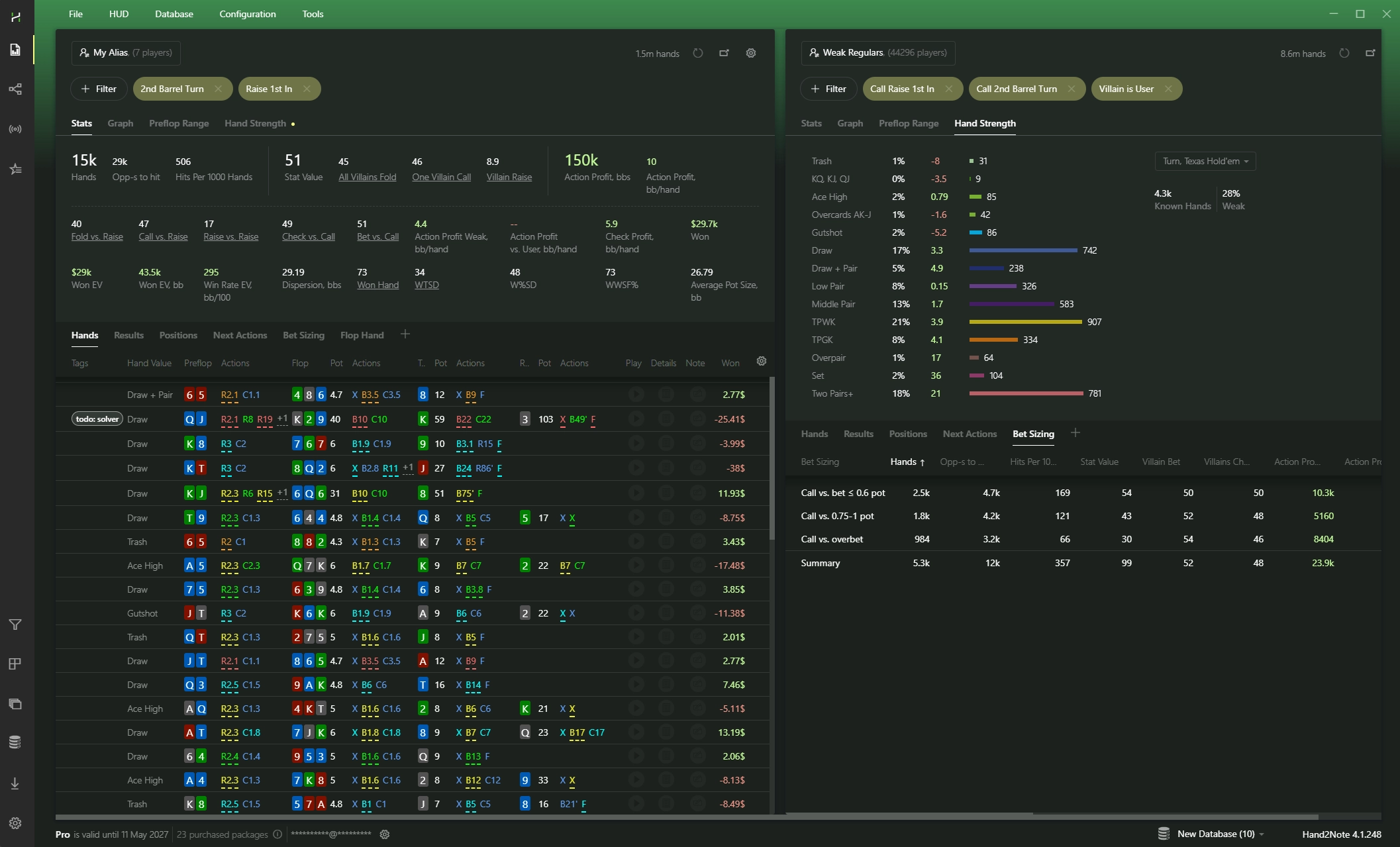
Flexible reports and filters help you analyze your game and compare it with your opponents.
High performance keeps reports fast, so you can quickly find any situation, even with millions of hands.
# Interactive Statistics
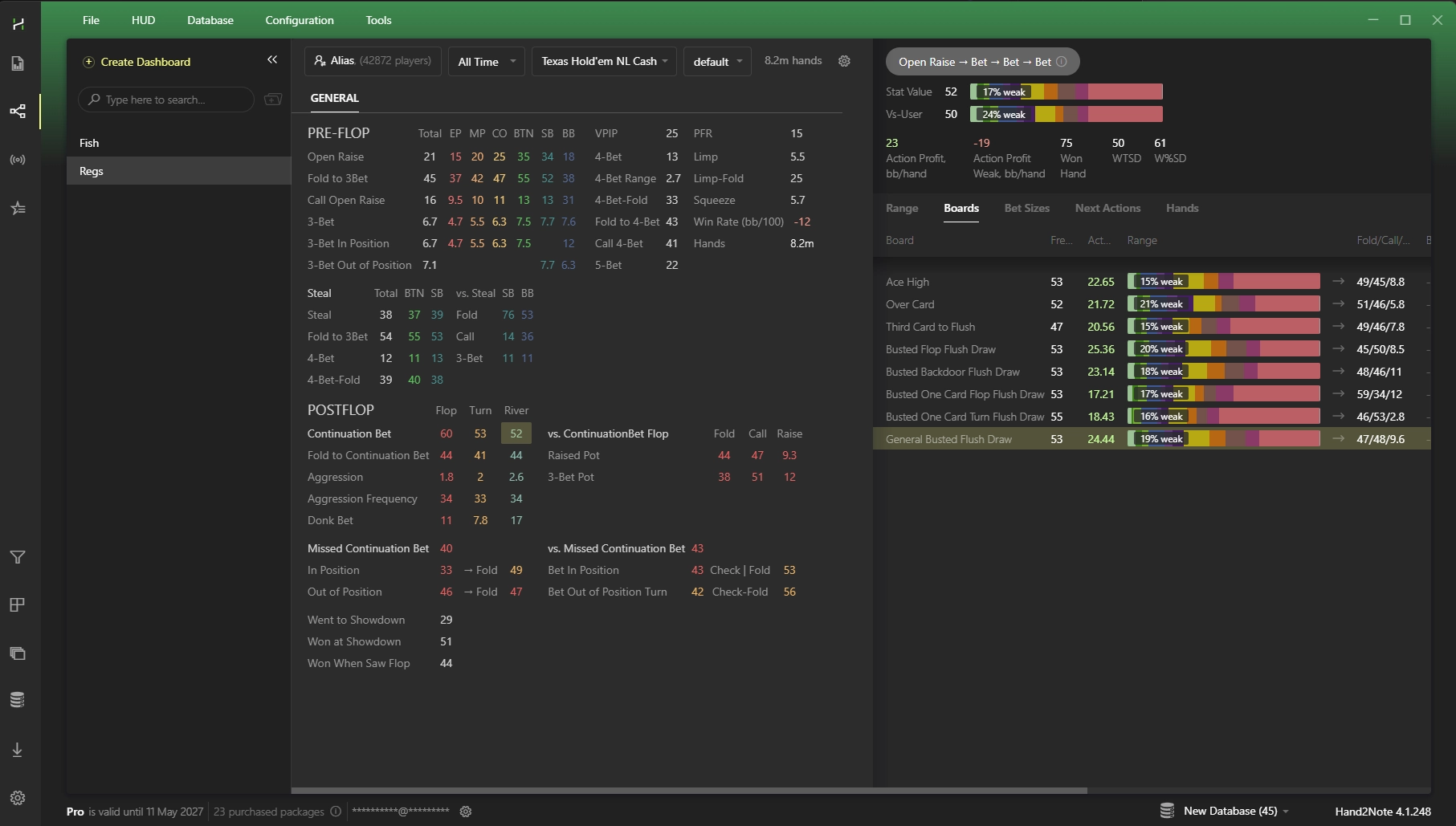
Hand2Note provides everything you need for deeper analysis and more confident decisions.
Explore population tendencies, focus on specific player groups, find exploits, and work with data in the dedicated Statistics section.
# Regular vs Regular Statistics
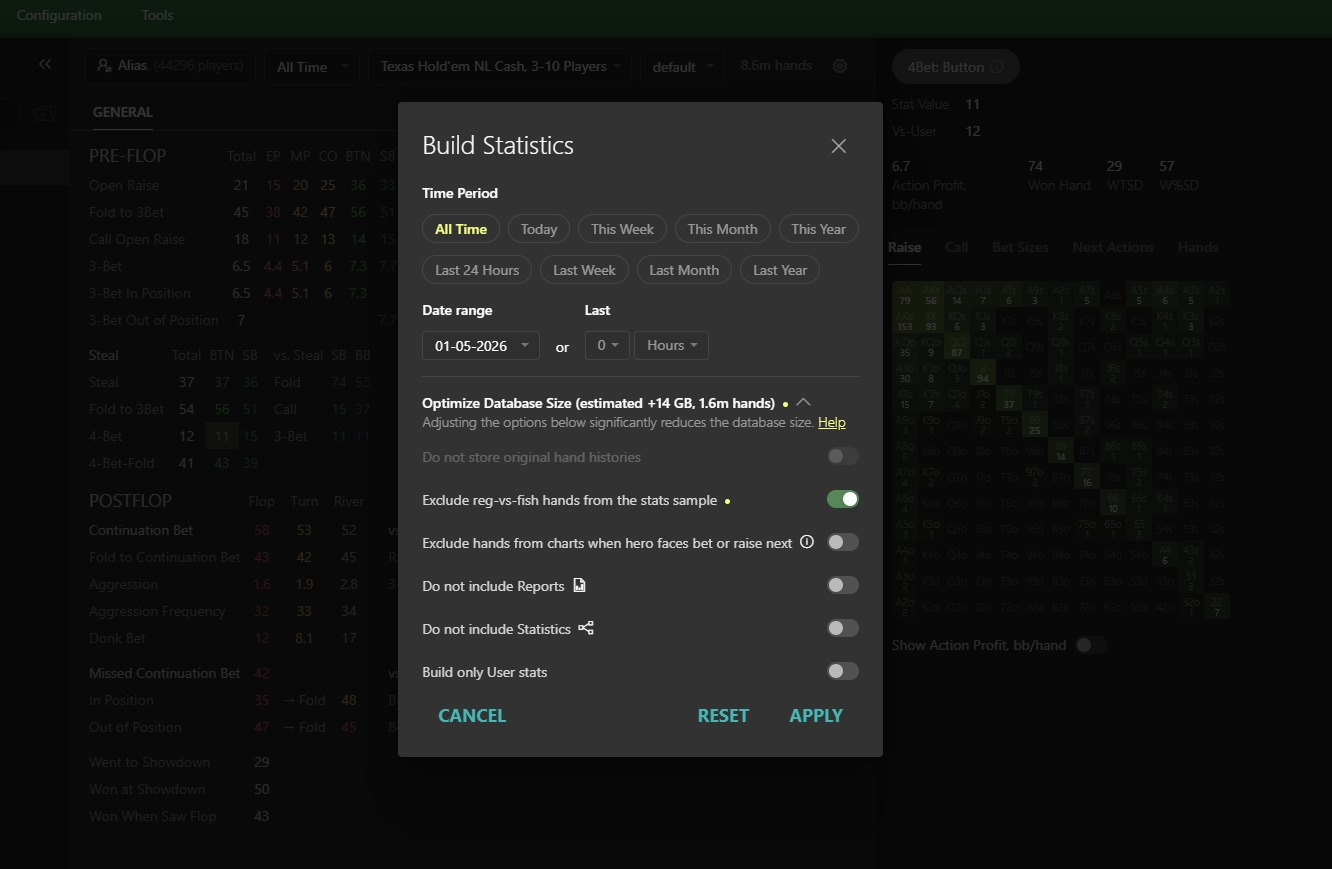
If needed, Hand2Note can exclude hands played between regulars and recreational players.
This gives you cleaner, more accurate stats on how regulars play against each other.
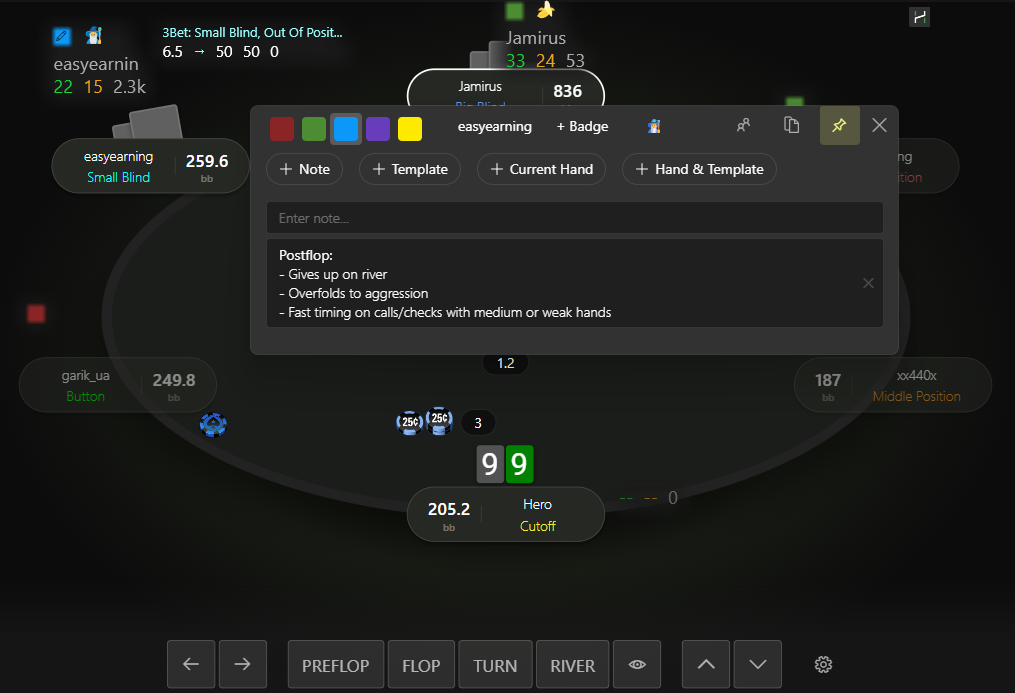
# Advanced Player Notes
In Hand2Note, notes become more useful: you can attach hands, use templates, and add notes to specific stats.
This helps you organize information, quickly find what you need, and replay hands directly from your notes.
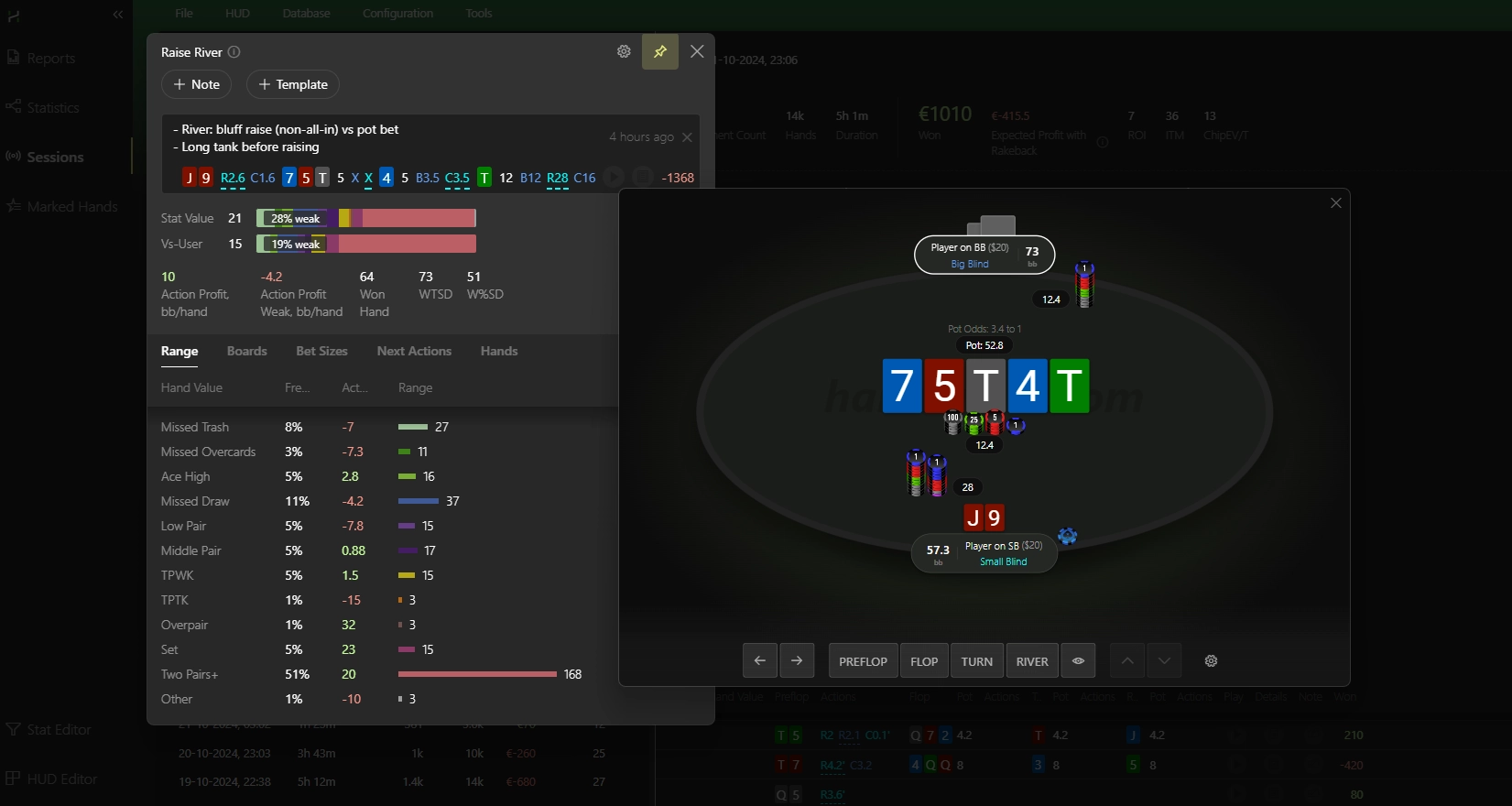
Learn more about the notes system — Notes in Hand2Note.
# Working with Large Databases
You can create separate databases for different purposes and switch between them instantly — without long loading times.
Hand2Note is optimized for large databases and maintains high performance even with tens or hundreds of millions of hands.

# A Tool Used by Top Players
Hand2Note is used by high-level players, including Benjamin Rolle (better known as bencb, with over $10M in online tournament winnings) and Saulo Costa — a high-stakes cash player and coach.

# HUD Store from Professional Players
Ready-made HUDs and popups created by professional players help you start playing faster without spending time on setup.
The Poker HUD Store offers solutions for different formats, including Cash, MTT, Spins, PLO, and more.
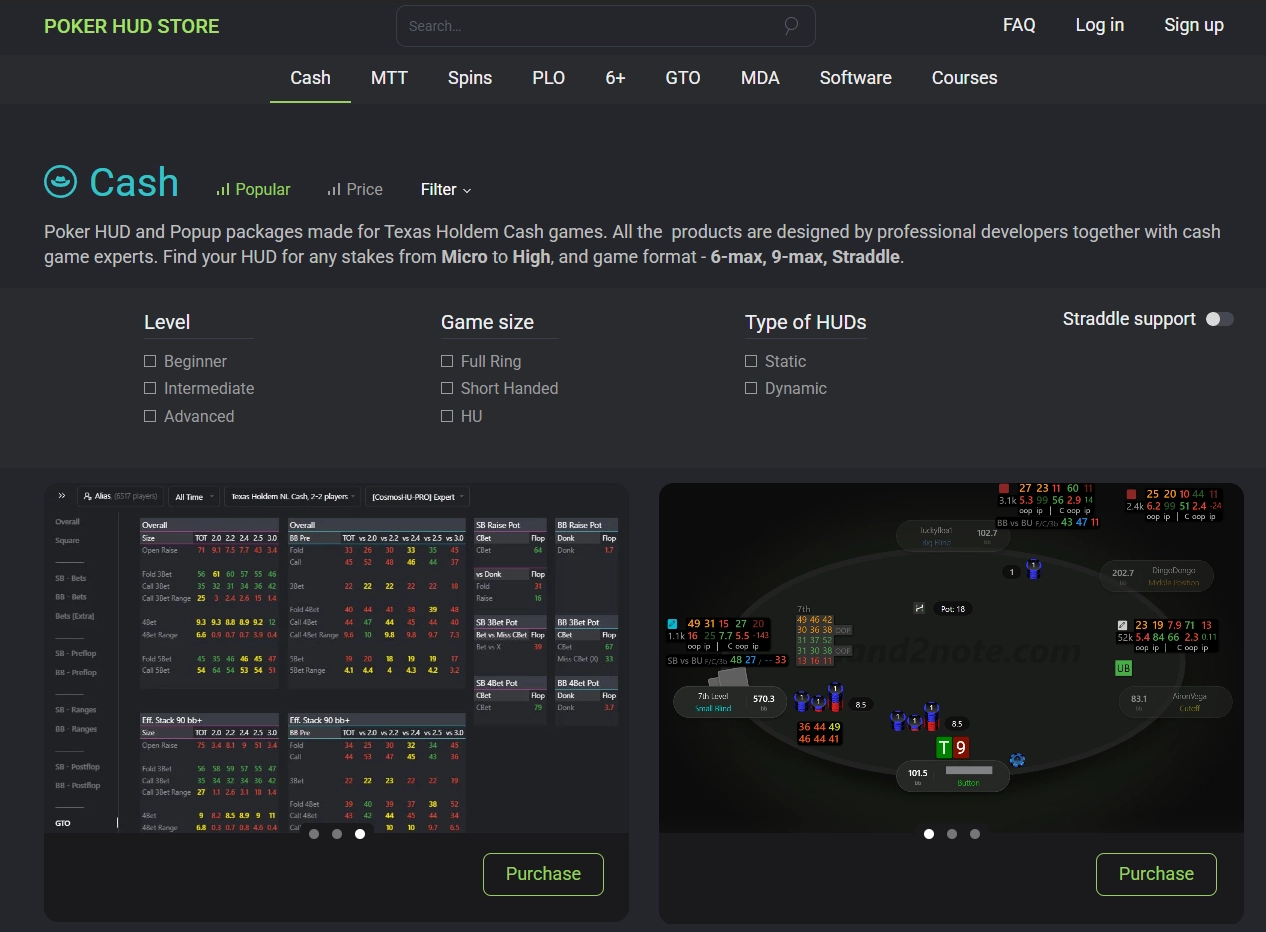
For a more detailed comparison of Hand2Note and other trackers, see our separate article: H2N vs. HM3 vs. PT4.
# How to Switch to Hand2Note
# Hand2Note Installation
Download and install Hand2Note — the latest version is always available on the main page.
# Importing Hands
To transfer your database, click: Database → Import From Database
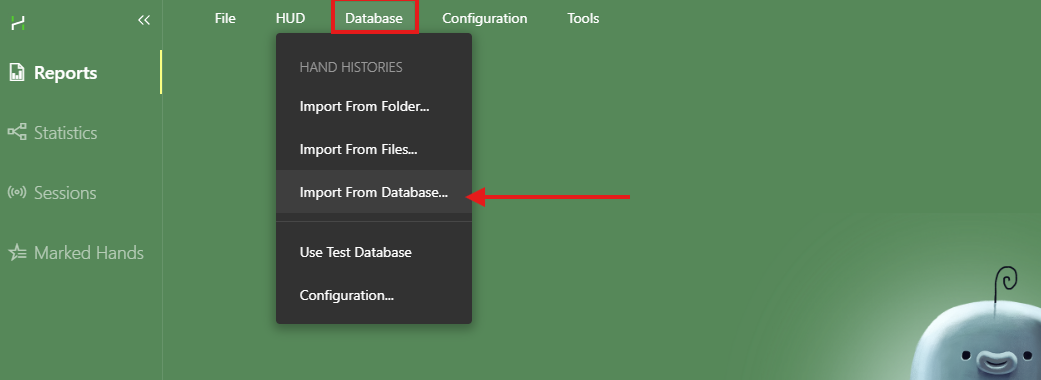
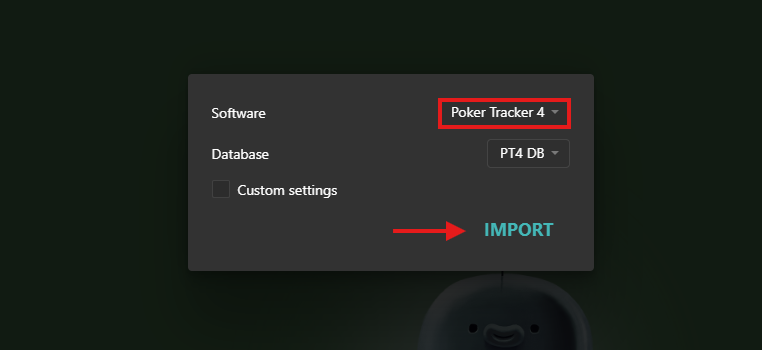
Select the tracker you want to import data from:
- For Holdem Manager and DriveHUD, you may need to specify the database path manually.
- Poker Tracker 4 databases are usually detected automatically.
Wait for the import to complete.
# Importing Notes (if needed)
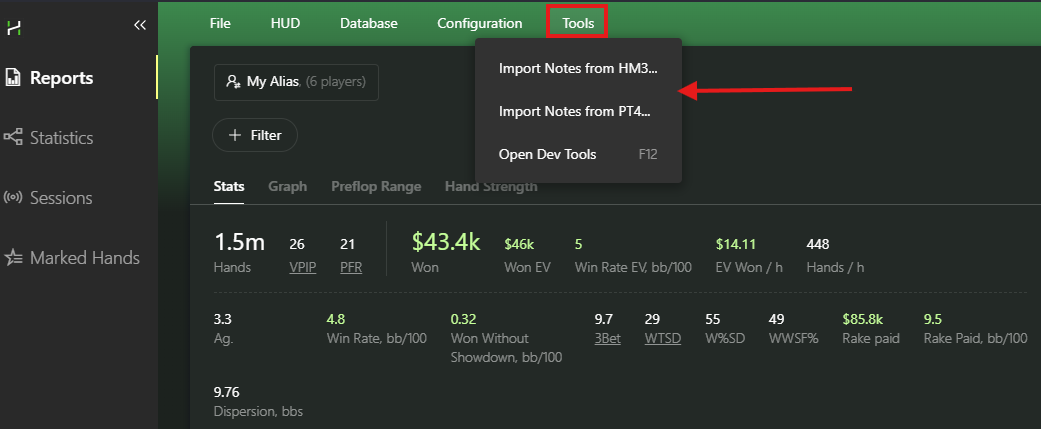
If you’ve used player notes, click: Tools → Import Notes from…
# Done
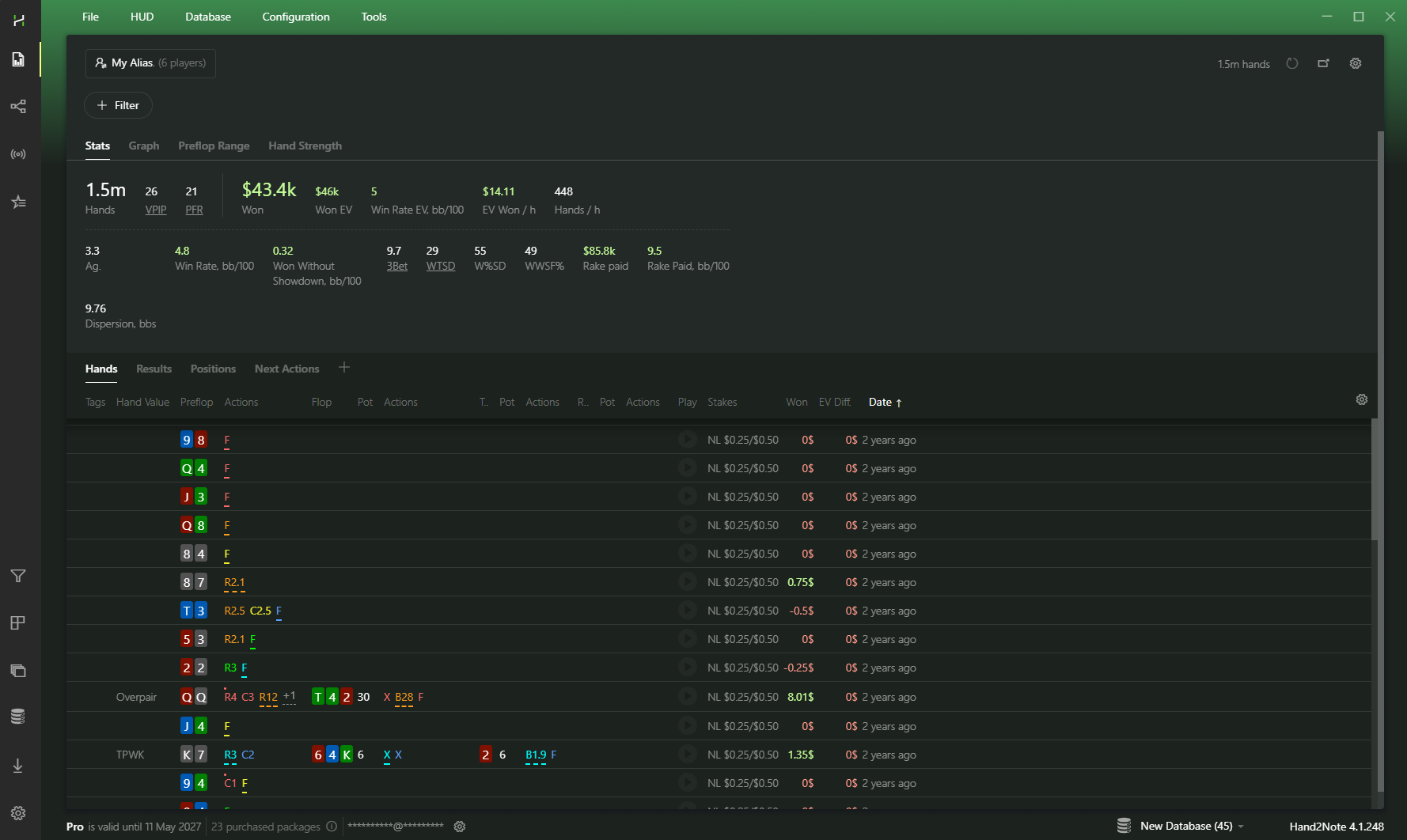
Restart Hand2Note — your database and notes will be available.
# Frequently Asked Questions
# Can HUDs and popups be transferred from other trackers?
HUDs and popups cannot be transferred directly from other trackers, as each program uses a different architecture.
In practice, this usually isn’t an issue:
- After installation, you’ll have access to default HUDs and popups that you can start using right away. See our guide: How to switch the HUD.
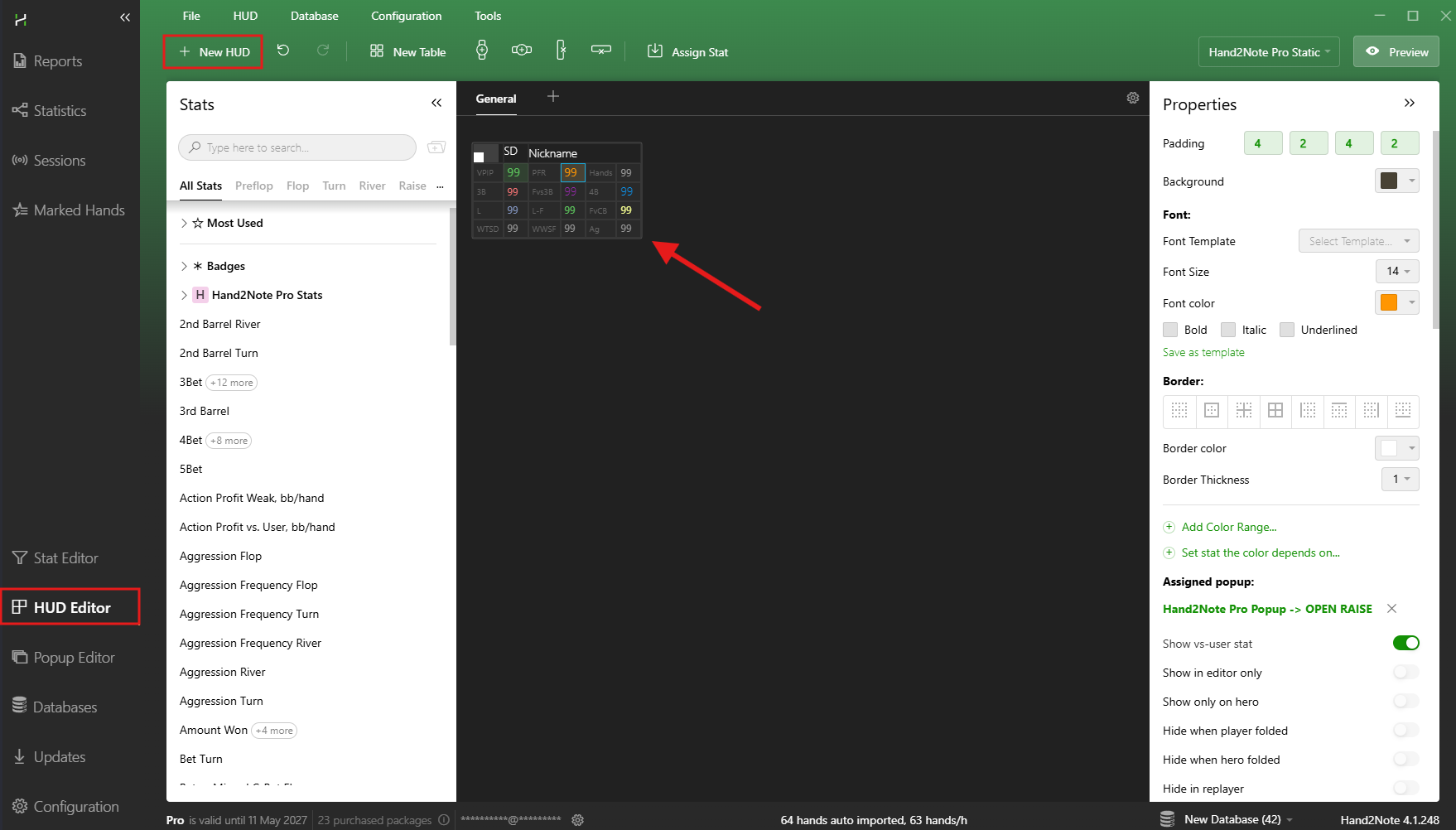
- Hand2Note includes built-in editors that allow you to quickly recreate a HUD similar to the one you’re used to.
# Do I need a converter for playing in Asian apps?
No, additional software or subscriptions are not required.
Hand2Note works directly with supported rooms, so converters are not needed — including for apps running via Android emulators.

# I only have hand history files — can I import them directly?
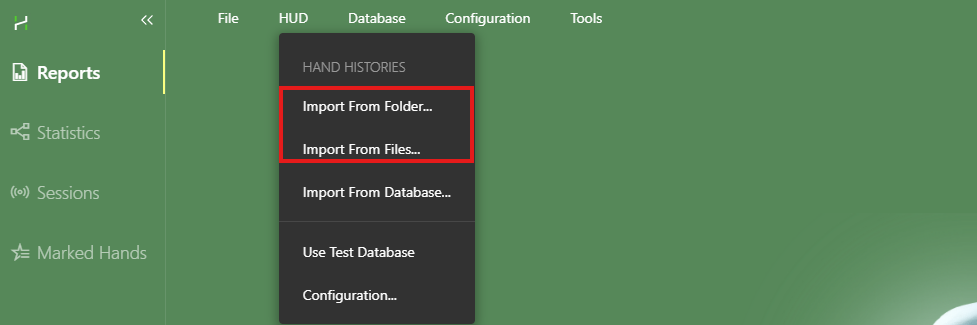
Yes, you can import hands directly via: Database → Import from Folder or Import from Files options.
# Troubleshooting
# Database not found
Most likely, your tracker is using non-default connection settings.
Try enabling Custom settings and entering the database details manually.
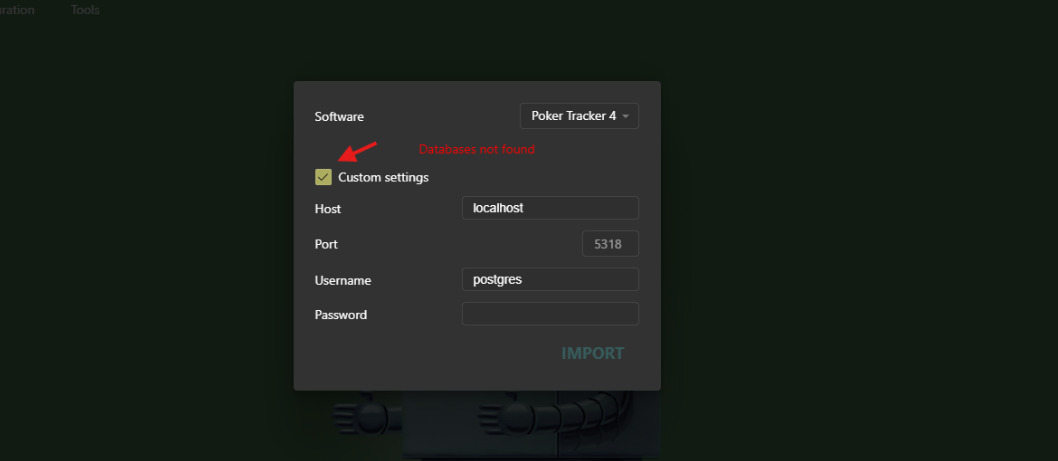
If you’re using Poker Tracker 4, you can find the required parameters in your database settings.
# Not all hands are imported from the database
Hand2Note supports importing hands from most poker rooms, as long as the hand history is stored in its original format.
If some hands are not imported, it’s possible that your previous tracker converted the hand histories during import and saved them in its own format.
Solution: request hand histories in the original format from the poker room support and import them directly from files.
# If you have any questions
If something isn’t working or you’re unsure about the setup, feel free to contact our support team.
We’ll help you transfer your data to Hand2Note and configure everything properly.
# Summary
Switching to Hand2Note doesn’t mean starting from scratch — it means upgrading your tool while keeping the data you already have.
You keep your database and notes, and get a more powerful tool for analysis and improvement.


